In an age where AI can generate entire articles in seconds, the importance of clear, error-free, and authentically human communication has only intensified. A single typo can undermine credibility, a poorly structured sentence can obscure a brilliant idea, and robotic-sounding text fails to connect with readers. The challenge isn't a lack of tools to help; it's navigating the crowded market to find the right one for your specific needs.
This guide cuts through the noise. We’ve conducted a comprehensive, hands-on review of the 12 best grammar checker software options to help you make an informed decision. Whether you're a student striving for a perfect thesis, a marketer refining high-stakes copy, or a blogger polishing an AI-assisted draft, the right tool can transform your writing from good to exceptional. Beyond simply correcting grammar, flawless writing is crucial for understanding how to approach creating engaging content that truly resonates with your audience.
Our analysis goes beyond surface-level feature lists, focusing on real-world performance, usability, integration capabilities, and overall value. We examine each platform's accuracy in detecting nuanced errors, its unique features for improving style and tone, and its pricing structures. For each of the 12 tools listed below, you will find a concise summary, standout features, honest pros and cons, and screenshots to guide your evaluation. Our goal is to equip you with all the information needed to select the ideal software that aligns with your workflow, budget, and writing goals, ensuring every word you publish is polished and powerful.
1. Grammarly
Grammarly is arguably the most recognized name in the grammar checker space, functioning as a comprehensive AI-powered writing assistant. It goes far beyond basic spell-checking to offer nuanced suggestions on grammar, punctuation, style, and tone, making it a powerful tool for a wide range of users from students to enterprise teams. Its primary strength lies in its ubiquitous integration; browser extensions for Chrome, Safari, and Firefox, along with dedicated desktop and mobile apps, ensure your writing is polished everywhere you work.
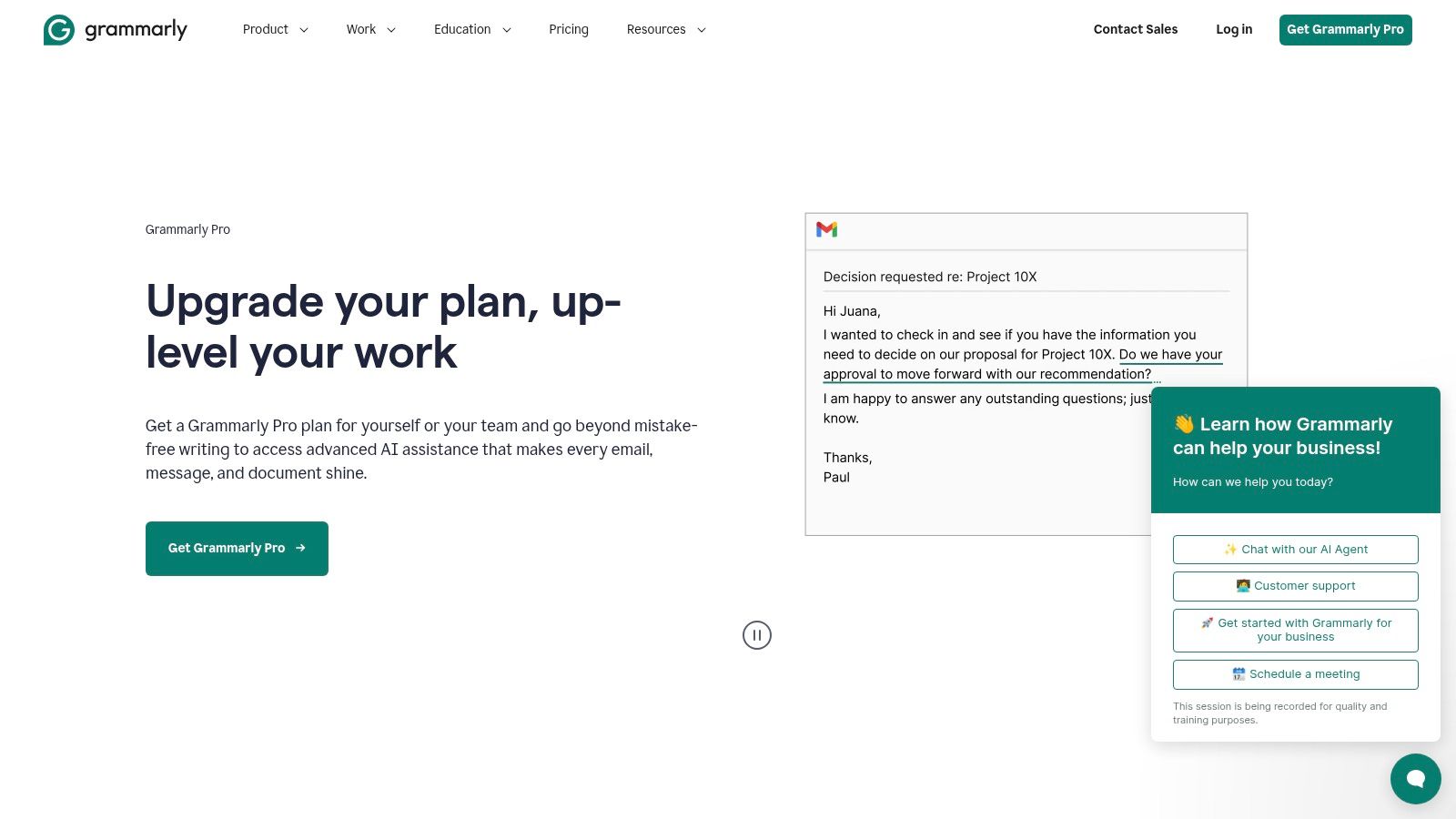
This platform excels at real-time feedback. As you type in an email, a Google Doc, or a social media post, Grammarly underlines potential issues and provides clear, one-click corrections. For those seeking the best grammar checker software with advanced capabilities, its premium plans unlock features like full-sentence rewrites for clarity, tone detection, and plagiarism checks, which are invaluable for academic and professional writing.
Key Features & Use Cases
- Real-Time Corrections: The browser extensions and app integrations provide instant feedback across most platforms, perfect for catching typos in emails or refining a blog post in a CMS.
- Tone & Clarity Rewrites: Premium users can adjust their writing's tone (e.g., from formal to confident) and leverage AI to rephrase confusing sentences, a huge benefit for marketers and business communicators.
- Team & Enterprise Controls: Grammarly Business offers centralized billing, style guides to maintain brand consistency, and analytics dashboards, making it ideal for content teams.
| Feature | Free Plan | Premium Plan | Business Plan |
|---|---|---|---|
| Core Corrections | Grammar, Spelling, Punctuation | Yes | Yes |
| Clarity Rewrites | No | Yes | Yes |
| Plagiarism Checker | No | Yes | Yes |
| Team Style Guide | No | No | Yes |
Best For: Students, bloggers, marketers, and corporate teams needing a versatile and highly accurate tool that integrates seamlessly into their existing workflows. The robust team features also make it a top choice for organizations prioritizing brand voice consistency.
- Pros: High accuracy, excellent cross-platform integration, and powerful team management features.
- Cons: The most valuable features are locked behind a paid subscription; can slow down when processing very long documents.
Website: https://www.grammarly.com/premium
2. ProWritingAid
ProWritingAid is a comprehensive editing suite tailored for long-form writers, such as novelists, academics, and business professionals. It functions less like a quick-fix tool and more like a manuscript-level diagnostic engine, offering over 25 detailed reports that go deep into style, readability, pacing, and sentence structure. Its strength is providing granular feedback, helping authors not just fix errors but understand the mechanics of their writing on a deeper level.
This platform excels at analyzing complex documents through its dedicated desktop and web editors, which integrate with Word, Google Docs, and Scrivener. For writers looking for the best grammar checker software that offers more than just surface corrections, ProWritingAid's reports on "glue words," overused words, and sentence length variety are invaluable. Its lifetime license option also presents a compelling value proposition for serious writers who want a long-term editing partner.
Key Features & Use Cases
- 25+ Detailed Reports: In-depth analysis on style, grammar, overuse, readability, and more, making it perfect for authors performing a deep edit on a manuscript or a business professional refining a long report.
- Style and Rephrasing Tools: The Rephrase and AI Sparks features help users rewrite sentences for better clarity and impact, a key benefit for copywriters and content creators.
- Lifetime Licensing: A one-time payment option provides permanent access, which is ideal for freelance writers, novelists, and editors who see writing as a long-term career.
| Feature | Free Plan | Premium Plan | Premium Pro Plan |
|---|---|---|---|
| Core Corrections | Yes (500-word limit) | Yes (Unlimited) | Yes (Unlimited) |
| 25+ Writing Reports | Limited | Yes | Yes |
| AI Rephrasing | Limited | Yes | Yes |
| Plagiarism Checks | No | No | 60 checks/year |
Best For: Novelists, academics, and long-form content creators who need detailed, analytical feedback to improve their writing craft. The comprehensive reports and lifetime access make it a favorite among serious authors.
- Pros: Extremely detailed diagnostics for long-form content, and excellent value with its annual or lifetime plans.
- Cons: The depth of reports can be overwhelming for casual users, and some advanced AI features require purchased credits.
Website: https://prowritingaid.com
3. QuillBot
QuillBot has carved out a unique niche by offering a suite of interconnected writing tools rather than just a standalone grammar checker. It is best known for its powerful paraphrasing capabilities, but its integrated grammar checker, summarizer, and other utilities make it a versatile assistant for writers who need to do more than just correct mistakes. The platform is designed to help users rephrase, refine, and restructure their text, making it a favorite among students and content creators looking to enhance clarity and originality.
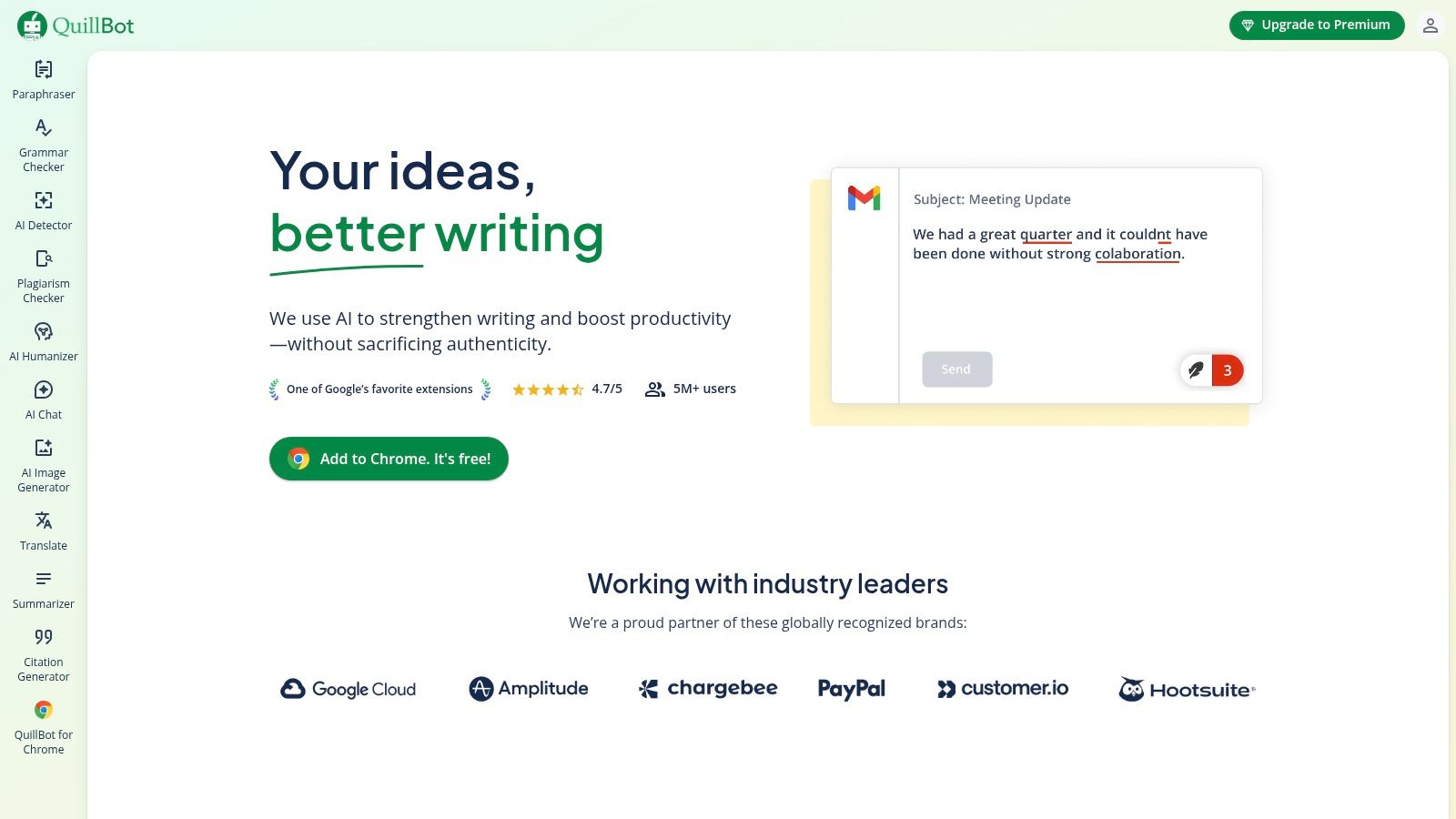
This platform shines by bundling multiple functions into one seamless workflow. You can check a document for grammatical errors, then immediately use the paraphraser to experiment with different sentence structures or switch tones. For those searching for the best grammar checker software that also supports content repurposing, QuillBot is an excellent choice. Its Premium version expands on this by offering more advanced grammar recommendations, unlimited paraphrasing modes, and faster processing speeds.
Key Features & Use Cases
- Integrated Paraphraser: Its core strength is rewriting sentences and paragraphs in multiple modes (e.g., Formal, Simple, Creative), which is ideal for students avoiding accidental plagiarism or marketers creating copy variations.
- Summarizer Tool: Quickly condenses long articles or documents into key points, a valuable feature for researchers and professionals who need to digest information efficiently.
- All-in-One Workflow: Users can check grammar, paraphrase, summarize, and even check for plagiarism (with paid word packs) without leaving the platform, streamlining the editing process.
| Feature | Free Plan | Premium Plan | Business Plan |
|---|---|---|---|
| Core Corrections | Yes | Yes (Advanced) | Yes (Advanced) |
| Paraphraser Modes | 2 Modes | All Modes (7+) | All Modes (7+) |
| Plagiarism Checker | No | Optional Add-on | Optional Add-on |
| Team Management | No | No | Yes |
Best For: Students, academics, and content creators who frequently need to rephrase text for originality and clarity. Its multi-tool approach is also beneficial for marketers and writers who want a grammar checker combined with powerful rewriting and summarizing utilities.
- Pros: Excellent paraphrasing tool integrated with a solid grammar checker, offers a suite of useful writing tools in one place, and provides team plans.
- Cons: The most advanced grammar corrections are only available in the Premium plan, and the plagiarism checker requires a separate purchase.
Website: https://quillbot.com
4. LanguageTool
LanguageTool distinguishes itself as a powerful, open-source grammar checker with exceptional multilingual capabilities. Supporting over 30 languages, it is an indispensable asset for individuals and teams working in global markets or non-English environments. Its core strength is providing comprehensive grammar, spelling, and style corrections across a wide linguistic spectrum, making it a versatile alternative to more anglophone-centric platforms. It integrates seamlessly through browser add-ons, desktop apps, and various third-party plugins.
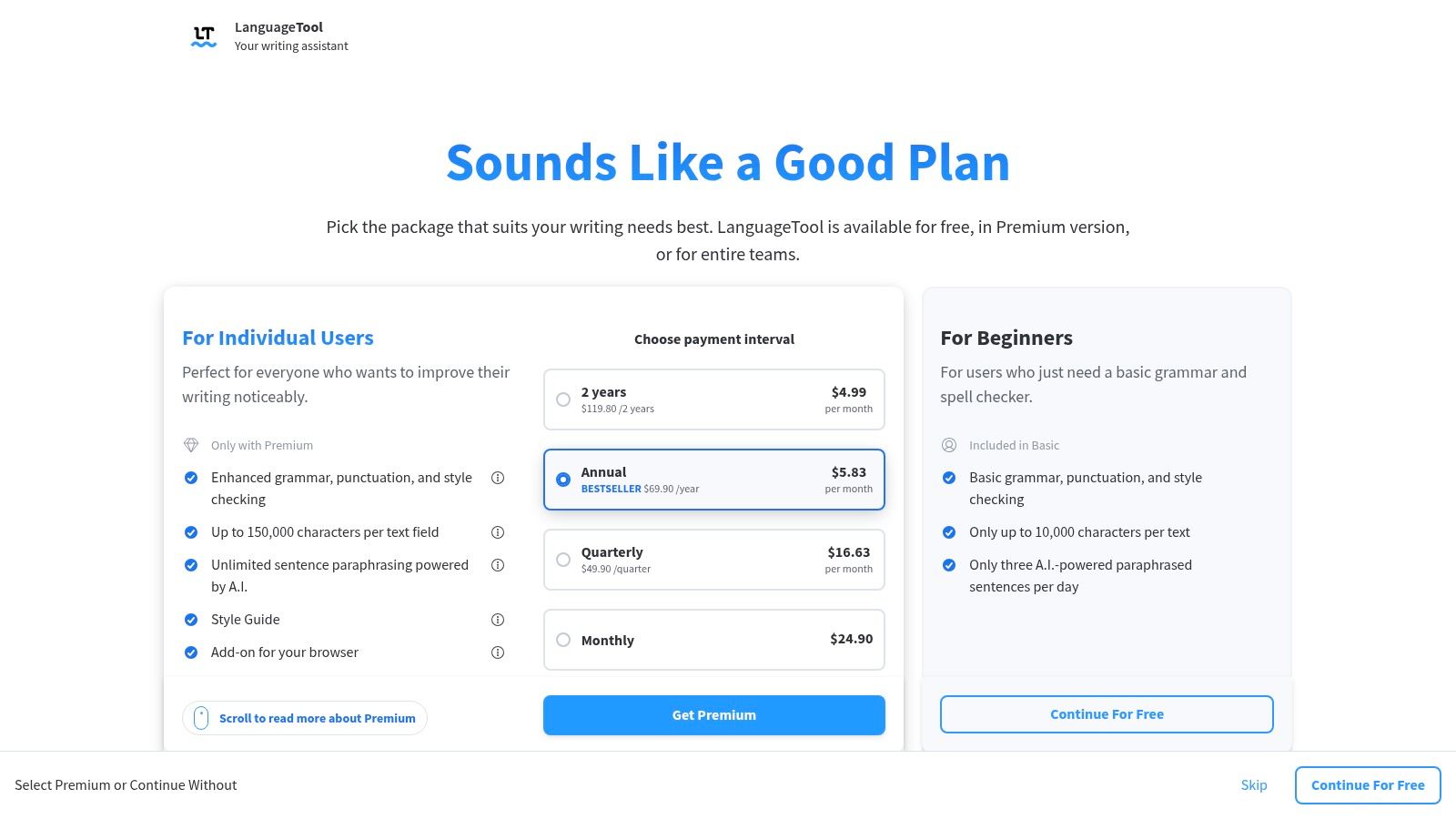
This platform provides clear, color-coded suggestions to help users quickly identify and fix errors. While the free version is robust, those looking for the best grammar checker software for long-form content will appreciate its premium plans. These unlock advanced AI-powered sentence rewrites, enhanced style and tone suggestions, and significantly higher character limits per check. Its commitment to data privacy and open-source roots also appeals to users cautious about how their data is handled.
Key Features & Use Cases
- Extensive Multilingual Support: Ideal for translators, international corporations, and academics writing in languages other than English. It offers nuanced corrections for dialects like British vs. American English.
- AI-Based Paraphrasing Tool: The "Rephraser" helps users rewrite sentences to improve clarity, tone, and style, which is highly useful for marketers and content creators aiming to refine their messaging.
- Team & Enterprise Features: Premium plans allow for the creation of a team-specific style guide and a shared dictionary, ensuring brand voice consistency across all multilingual content produced by a team.
| Feature | Free Plan | Premium Plan (Individual) | Business Plan (Teams) |
|---|---|---|---|
| Core Corrections | Basic Grammar & Spelling | Yes | Yes |
| Multilingual Support | Yes (30+ Languages) | Yes | Yes |
| AI Rewrites | Limited | Yes | Yes |
| Team Style Guide | No | No | Yes |
Best For: Multilingual writers, global marketing teams, academics, and privacy-conscious users who need a powerful and flexible tool for various languages. Its generous text limits on paid tiers also make it great for authors and editors working on long documents.
- Pros: Excellent multilingual coverage, generous text limits on paid plans, and a strong commitment to user privacy.
- Cons: Some browser extension features are now limited to premium users; pricing can appear inconsistent depending on region and currency.
Website: https://languagetool.org/onboarding-premium?utm_source=openai
5. Microsoft Editor (via Microsoft 365)
For those deeply embedded in the Microsoft ecosystem, Microsoft Editor is a powerful and convenient writing assistant that integrates seamlessly into the tools you already use. Functioning as the evolution of the classic Word spell-checker, it offers intelligent suggestions for grammar, spelling, and style directly within Word, Outlook, and through a dedicated browser extension, eliminating the need for a separate application. Its primary advantage is its native integration, providing a frictionless experience for users of Microsoft 365.
This platform shines by offering robust writing assistance as part of a larger productivity suite. While the free version covers the essentials, a Microsoft 365 subscription unlocks advanced features like clarity, conciseness, and formality suggestions. This makes it one of the best grammar checker software options for users who want a built-in solution that supports their workflow across documents, emails, and web browsing without adding another subscription to their stack.
Key Features & Use Cases
- Native Office Integration: Provides real-time feedback directly in Word and Outlook, making it perfect for students drafting essays or professionals composing critical emails.
- Multi-Language Support: With support for over 20 languages, it is an excellent tool for multinational teams and individuals writing for a global audience.
- Bundled Value: Advanced features are included with a Microsoft 365 subscription, offering significant value alongside apps like Word, Excel, and OneDrive.
| Feature | Free Version | Microsoft 365 Subscription |
|---|---|---|
| Core Corrections | Spelling, Basic Grammar | Yes |
| Advanced Grammar | No | Yes |
| Style & Refinements | No | Clarity, Conciseness, Formality |
| Plagiarism Checker | Yes (in Word) | Yes (in Word) |
Best For: Students, professionals, and anyone who primarily works within the Microsoft Office suite and wants a capable, integrated grammar checker without needing a third-party tool.
- Pros: Seamless integration with Microsoft 365 apps, bundled value adds no extra cost for subscribers, and strong multi-language capabilities.
- Cons: The most powerful features require a Microsoft 365 subscription, and it offers less detailed stylistic feedback than specialized competitors.
Website: https://www.microsoft.com/en-us/microsoft-365/microsoft-editor-options?utm_source=openai
6. Hemingway Editor
Hemingway Editor is not a traditional grammar checker but a powerful style and readability editor designed to make your writing bold and clear. It focuses on conciseness by highlighting overly complex sentences, passive voice, adverbs, and complicated words, pushing you to simplify your prose. Its unique color-coded feedback system provides an at-a-glance analysis, making it an excellent tool for writers who want to tighten their writing and improve clarity.
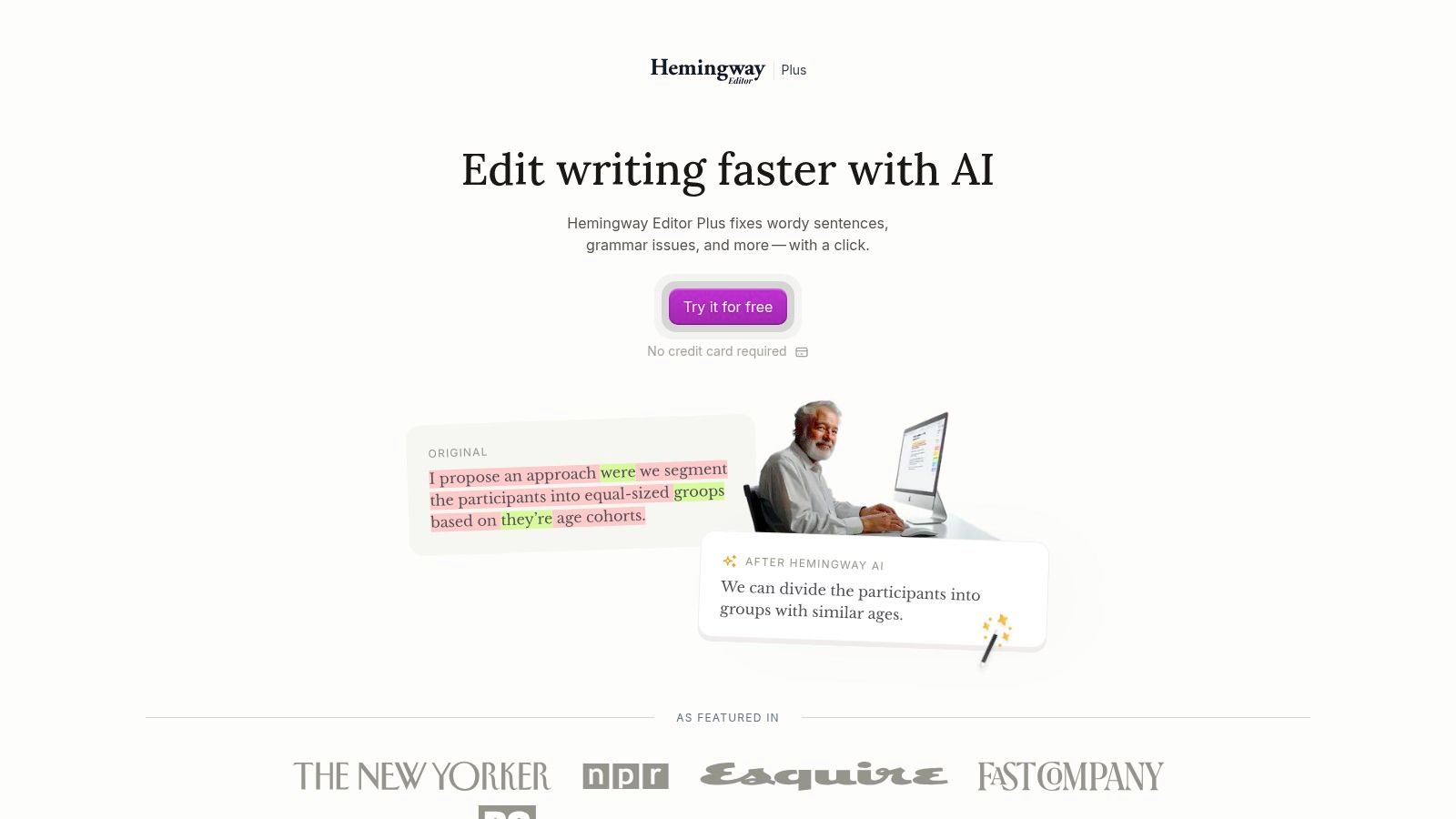
The platform has evolved with the introduction of Hemingway Editor Plus, which adds AI-powered grammar fixes and sentence rewrites. This makes it a more complete solution, bridging the gap between a pure style editor and the best grammar checker software. By grading your text's readability, it helps ensure your message is easily understood by your target audience, a critical function for bloggers and marketers.
Key Features & Use Cases
- Readability Analysis: The core feature grades your text and highlights areas for improvement. This is perfect for copywriters and content creators aiming for a specific reading level.
- Style Suggestions: It flags passive voice, adverbs, and complex phrasing, guiding you to write more direct and impactful sentences. This is invaluable for editors and students refining their work.
- AI-Powered Rewrites (Plus): The paid version offers AI to fix grammar and rewrite sentences for better clarity, flow, and tone, which is useful for quickly enhancing AI-generated drafts.
| Feature | Free Online Editor | Editor Plus Plan |
|---|---|---|
| Readability Grade | Yes | Yes |
| Style Highlights | Yes | Yes |
| AI Grammar Fixes | No | Yes |
| AI Sentence Rewrites | No | Yes (Quota-based) |
Best For: Writers, editors, and bloggers who prioritize clarity, conciseness, and readability over comprehensive grammatical correction. The Plus version is great for those who want its unique style feedback combined with modern AI editing power.
- Pros: Excellent for simplifying prose and improving writing style, lightweight interface is fast and focused, and the readability score is a helpful metric.
- Cons: The free version is not a true grammar checker; AI rewrite quotas apply on the paid plan.
Website: https://hemingwayapp.com/hemingway-editor-plus
7. Ginger Software
Ginger Software is a versatile writing tool that distinguishes itself by bundling core grammar correction with powerful sentence rephrasing and multilingual translation features. It serves as a comprehensive assistant for users who not only want to correct their writing but also enrich and adapt it for different audiences. With browser extensions, desktop apps, and mobile keyboards, Ginger integrates into daily workflows to provide real-time corrections and enhancement suggestions.
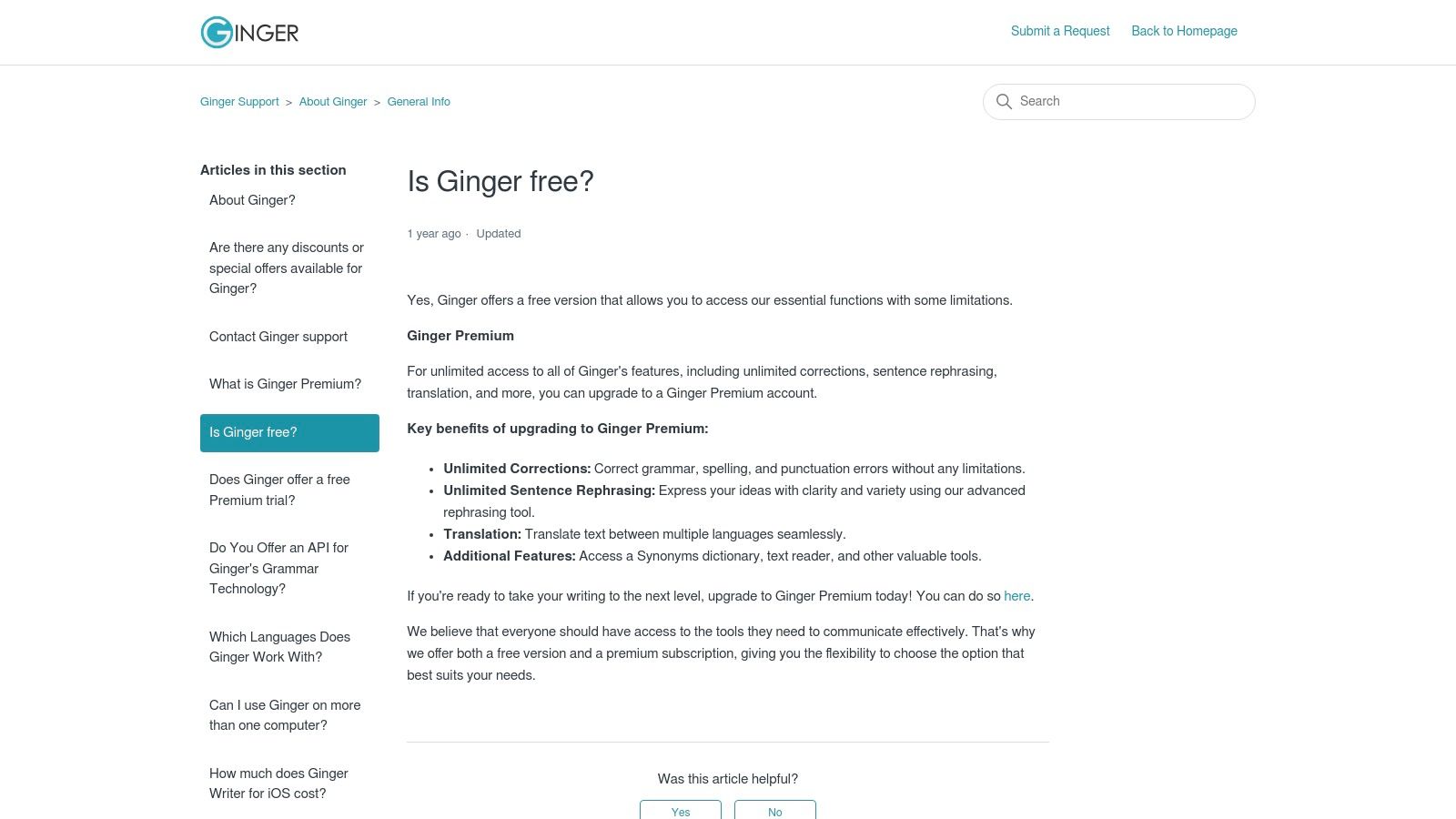
The platform's standout feature is its "Sentence Rephraser," which offers alternative phrasing to improve clarity, style, and tone without losing the original meaning. This makes it an excellent choice for non-native English speakers or writers looking to overcome creative blocks. For those searching for the best grammar checker software with added linguistic flexibility, Ginger’s ability to translate text into over 40 languages within the same interface is a significant advantage, streamlining international communication.
Key Features & Use Cases
- Sentence Rephraser: Ideal for content writers and marketers who need to create multiple variations of copy or find more compelling ways to express an idea.
- Multilingual Translation: A valuable tool for professionals and students working in a global context, allowing them to write and translate emails, documents, and messages without switching apps.
- Business & Team Plans: Ginger for Business provides team management, centralized billing, and integration options, making it suitable for organizations needing a scalable writing solution with a low user minimum.
| Feature | Free Plan | Premium Plan | Business Plan |
|---|---|---|---|
| Core Corrections | Limited | Yes | Yes |
| Sentence Rephraser | Limited | Unlimited | Unlimited |
| Translation | Limited | Unlimited | Unlimited |
| Team Management | No | No | Yes |
Best For: Non-native English speakers, freelancers, and business teams that require a combination of grammar correction, sentence rewriting, and quick translation capabilities in a single tool. Its straightforward interface appeals to users who need functional writing support without overly complex features.
- Pros: The built-in rephrasing and translation tools offer excellent value; business plans are accessible with flexible, per-user pricing.
- Cons: Premium pricing is only revealed at checkout and can vary; lacks the deep analytical insights found in more author-focused platforms.
Website: https://help.gingersoftware.com/hc/en-us/articles/4403494840082-Is-Ginger-free?utm_source=openai
8. Sapling
Sapling is an AI-powered writing assistant designed specifically for business and team communication, setting it apart from more general-purpose tools. While it offers standard grammar and spelling corrections, its core strength lies in features that accelerate workflows for customer-facing teams like support, sales, and operations. It provides intelligent autocomplete suggestions across various platforms and allows teams to create and manage libraries of "snippets" or canned responses to ensure consistent and rapid communication.
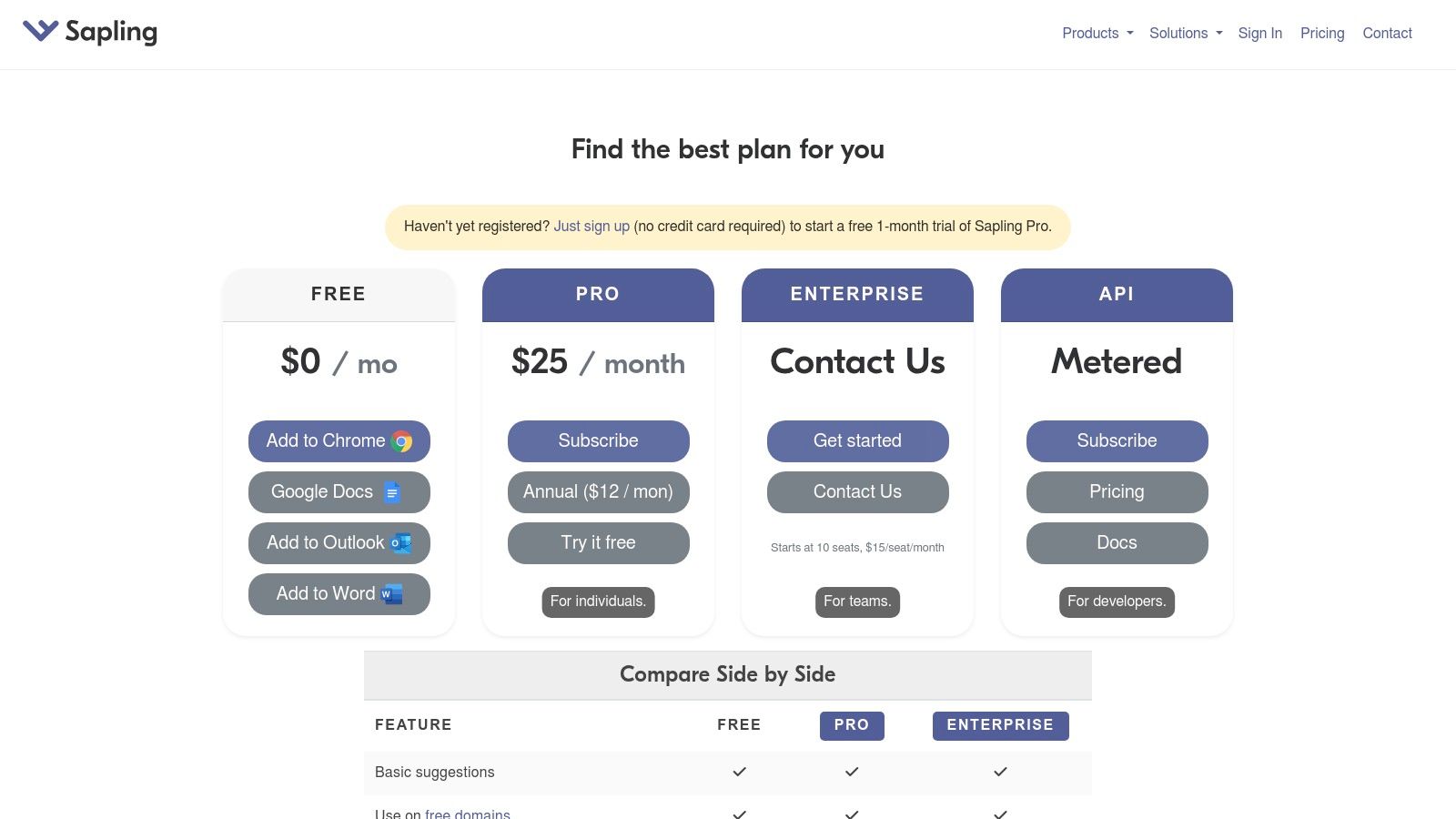
This platform excels in environments where speed and consistency are paramount, such as helpdesks and CRMs. The "Autocomplete Everywhere" feature learns from team usage to suggest entire phrases, drastically reducing response times. For developers looking to integrate these capabilities into their own applications, Sapling offers a robust and flexible API/SDK. This makes it a unique contender for the best grammar checker software for businesses that need to embed writing assistance directly into their proprietary tools.
Key Features & Use Cases
- Team Snippets & Autocomplete: Ideal for customer support teams using platforms like Zendesk or Salesforce to quickly pull pre-approved, high-quality answers to common questions.
- Developer API/SDK: Allows businesses to build Sapling’s grammar checking, autocomplete, and rephrasing functionalities directly into their own software products or internal systems.
- Conversation Analytics: Enterprise plans offer insights into team communication patterns, helping managers identify coaching opportunities and ensure brand voice consistency across all interactions.
| Feature | Free Plan | Pro Plan | Enterprise Plan |
|---|---|---|---|
| Core Corrections | Yes | Yes | Yes |
| Autocomplete Everywhere | Limited | Yes | Yes |
| Team Snippets | No | Yes | Yes |
| Developer API Access | No | Yes (Pay-as-you-go) | Yes (Custom Volume) |
Best For: Customer support teams, sales organizations, and developers who need a highly integrated writing assistant focused on speed, consistency, and custom implementation rather than creative writing.
- Pros: Excellent for team-based communication workflows, powerful snippet management, and a flexible developer API with usage-based pricing.
- Cons: The individual Pro plan can be pricier than some alternatives if not billed annually; advanced enterprise features require a custom quote.
Website: https://sapling.ai/plans
9. Outwrite
Outwrite is an AI writing assistant that focuses on improving writing clarity and impact through grammar, style, and structural suggestions. It stands out with a strong emphasis on paraphrasing and sentence rewriting, making it a valuable tool for users looking to rephrase content quickly without losing its original meaning. With integrations for browsers, Google Docs, and Microsoft Word, it offers a versatile solution for writers seeking straightforward enhancements to their work.
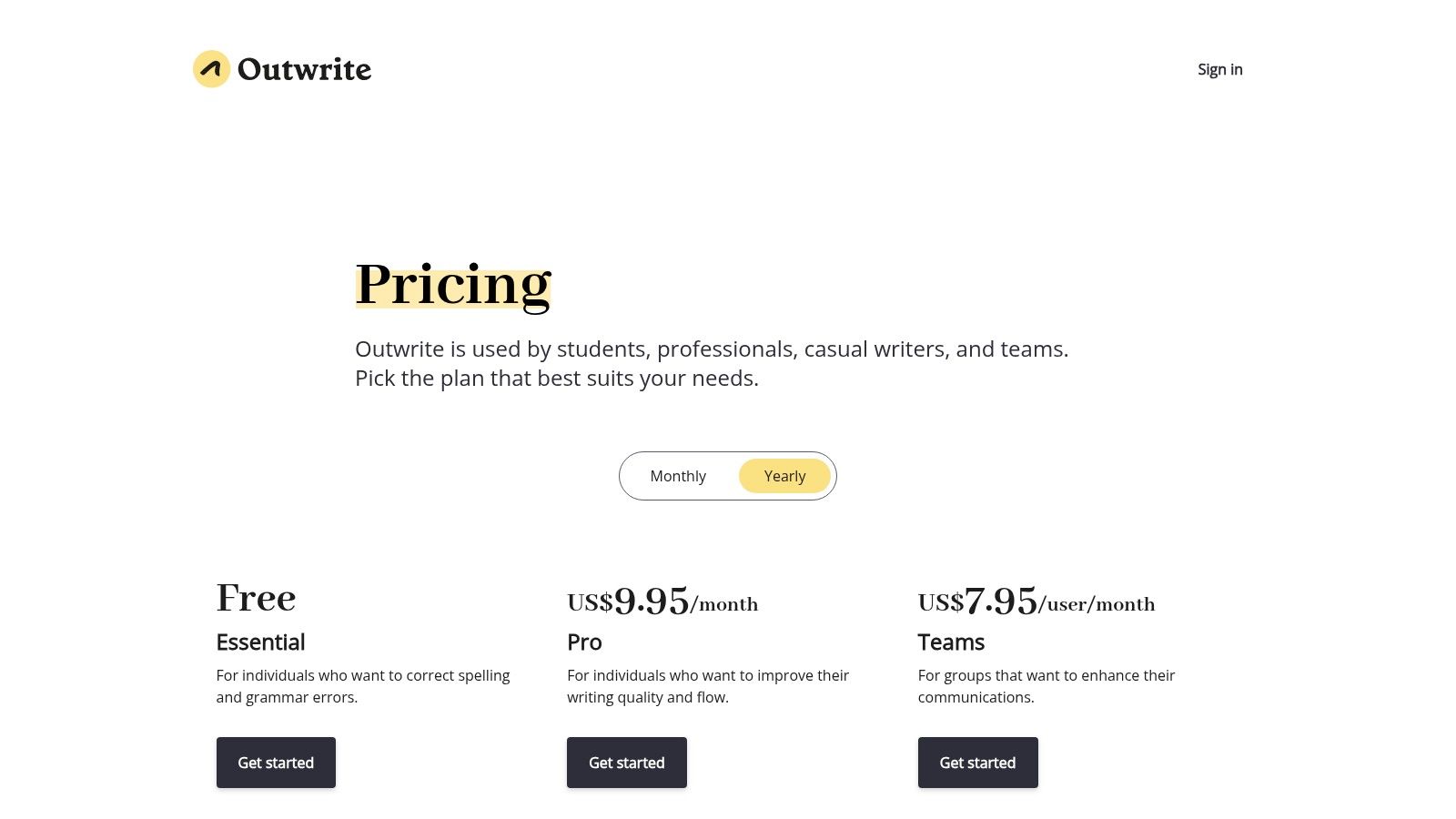
This platform provides clear, actionable feedback with a simple user interface that is easy to navigate. While many tools offer sentence rewrites, Outwrite’s dedicated paraphrasing feature is particularly effective for improving flow and vocabulary. For those who need an affordable but capable solution, Outwrite presents itself as one of the best grammar checker software options, bundling essential features like a plagiarism checker into its premium plans at a competitive price point.
Key Features & Use Cases
- Advanced Paraphrasing Tool: Users can rewrite entire sentences to enhance clarity, adjust tone, or reduce wordiness, which is ideal for students avoiding repetition or marketers refining ad copy.
- Structural & Stylistic Suggestions: Beyond basic grammar, it offers recommendations on sentence structure, conciseness, and vocabulary, helping bloggers and content creators make their writing more engaging.
- Plagiarism Checker: The Pro plan includes a plagiarism checker, giving academics and professionals a way to verify the originality of their work without needing a separate tool.
| Feature | Free Plan | Pro Plan | Teams Plan |
|---|---|---|---|
| Core Corrections | Yes | Yes | Yes |
| Paraphrasing Tool | Yes | Yes (Advanced) | Yes (Advanced) |
| Plagiarism Checker | No | Yes (50 checks/month) | Yes (Customizable) |
| Team Style Guide | No | No | Yes |
Best For: Students, content creators, and professionals looking for an affordable, user-friendly tool with a powerful sentence paraphrasing feature to improve writing fluency and style.
- Pros: Simple UI with clear, actionable suggestions, and affordable Pro and team pricing.
- Cons: Plagiarism checks are limited to 50 per month on the Pro plan; has a smaller feature ecosystem compared to larger competitors.
Website: https://www.outwrite.com/pricing?utm_source=openai
10. Trinka AI
Trinka AI is a specialized grammar and language enhancement tool designed specifically for academic and technical writing. Unlike general-purpose checkers, its AI is trained on scholarly papers and formal documents, allowing it to provide highly contextual corrections for subject-specific language, complex sentence structures, and conventional academic phrasing. It excels at preparing manuscripts, research papers, and theses for publication by going beyond basic grammar to check for consistency, style guide adherence, and technical clarity.
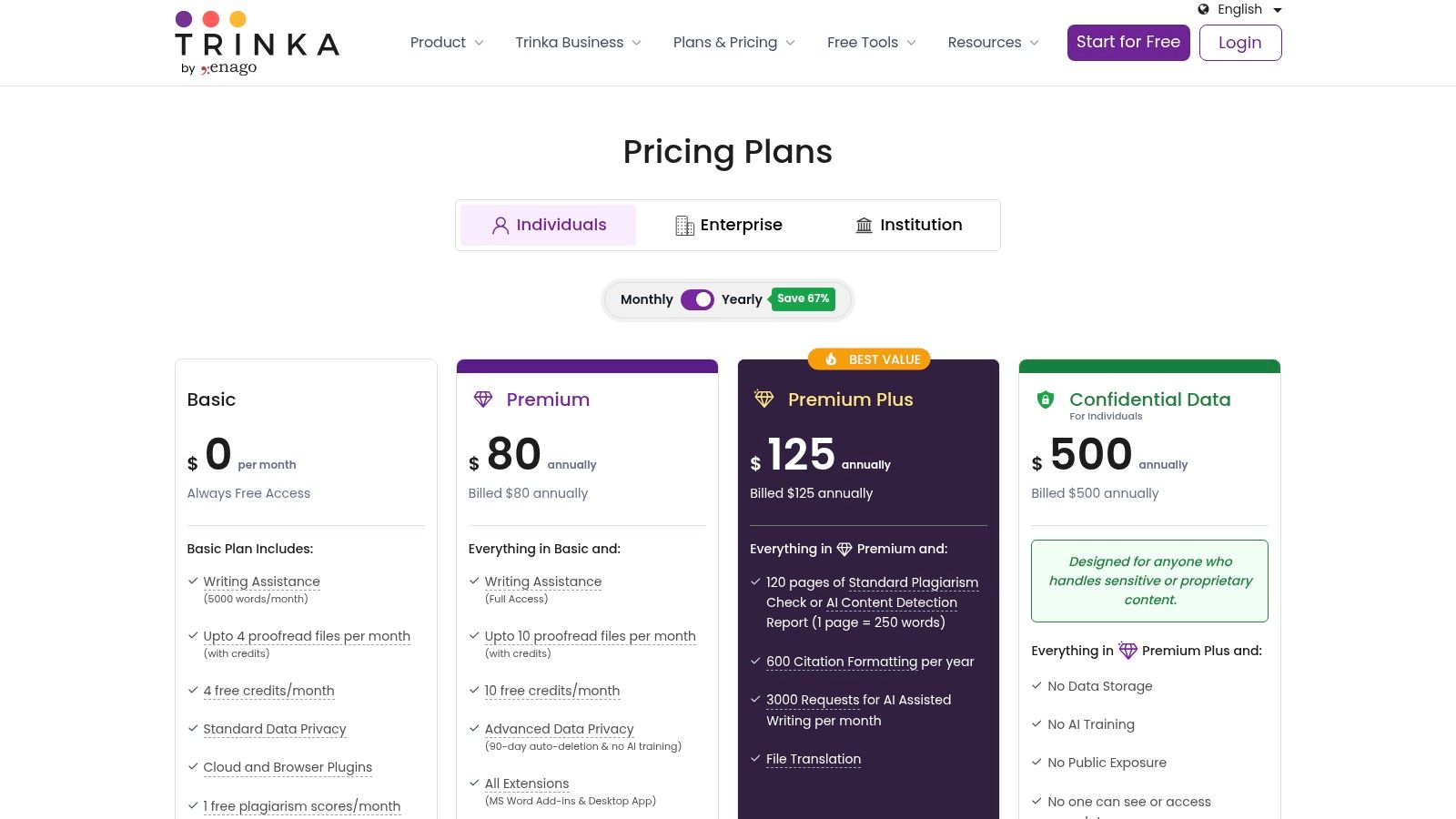
This platform’s core strength is its suite of publication-readiness checks. It automatically evaluates documents against over 20 checkpoints, including journal selection, referencing, and ethical compliance. For researchers looking for the best grammar checker software that respects data privacy, Trinka offers a confidential-data plan that ensures user documents are not stored or used for AI training. This makes it a secure choice for handling sensitive research and proprietary information.
Key Features & Use Cases
- Academic Style & Tone: The tool is fine-tuned to correct writing based on formal academic conventions, making it ideal for students, researchers, and scientists drafting journal articles or dissertations.
- Publication Readiness Checks: Its automated checks help authors ensure their manuscripts meet the stringent requirements of academic journals, reducing the likelihood of desk rejection.
- Confidential Data Processing: The premium plan offers an option to process documents without storing them, a critical feature for users in corporate R&D or those working with pre-publication data.
| Feature | Free Plan | Premium Plan | Enterprise Plan |
|---|---|---|---|
| Core Academic Corrections | Yes (Limited) | Yes (Unlimited) | Yes |
| Paraphrasing Tool | 3 credits/day | Unlimited | Yes |
| Publication Checks | No | Yes | Yes |
| Confidential Data Option | No | Yes | Yes |
Best For: Academics, researchers, medical writers, and PhD students who need a grammar tool that understands the nuances of technical and scholarly writing. The privacy-focused features also make it a strong choice for enterprise teams handling sensitive intellectual property.
- Pros: Highly specialized for academic and technical English, includes publication-readiness features, and offers a strong confidential-data option for privacy.
- Cons: The interface and features are geared toward academic workflows and may be less intuitive for casual writers; some advanced features rely on a credit system.
Website: https://trinka.ai/pricing/?utm_source=openai
11. WhiteSmoke
WhiteSmoke is one of the more established names in the grammar-checking industry, offering a suite of tools designed for basic error correction and style enhancement. Positioned as a solution for both individual users and organizations, it provides desktop and browser-based editors that cover grammar, spelling, and punctuation. Its core value proposition lies in its simplicity and its focus on organizational licensing, making it a potential choice for educational institutions or corporations seeking a straightforward, proven grammar solution.
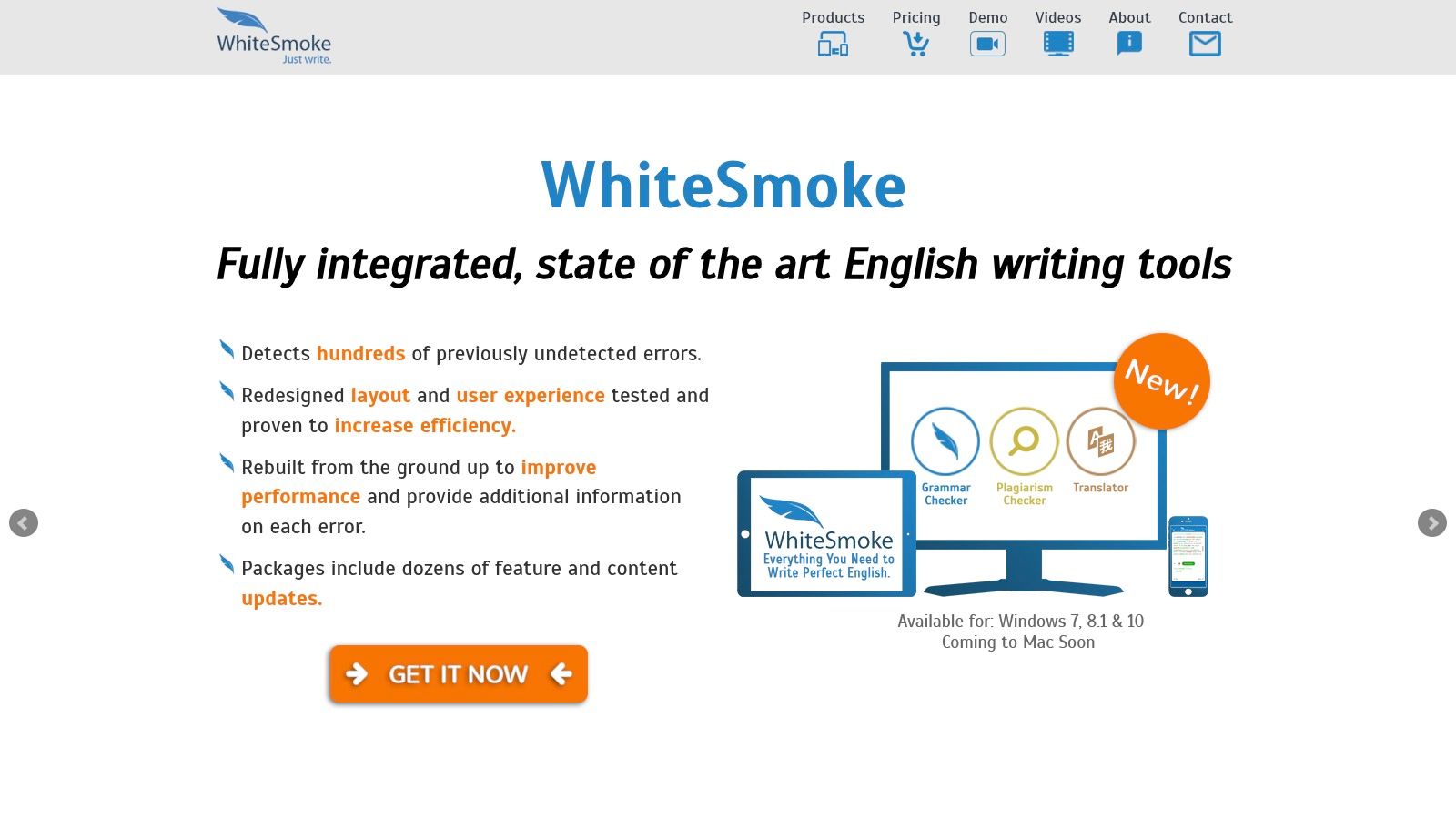
The platform functions through its own dedicated editors rather than seamless browser extensions, which may feel less integrated compared to modern alternatives. For those looking for the best grammar checker software with flexible deployment, WhiteSmoke's emphasis on OEM integration, reseller programs, and volume licensing for education sets it apart. While the interface and feature set can feel dated, it provides foundational tools that get the job done for essential proofreading tasks.
Key Features & Use Cases
- Core Error Correction: Detects and corrects fundamental grammar, spelling, punctuation, and style mistakes, suitable for students proofreading essays or professionals drafting internal documents.
- Organizational Licensing: Offers volume and reseller licensing, making it a viable option for schools, universities, or companies needing to deploy a simple grammar tool across many users.
- Multi-Platform Access: Provides a browser-based editor and a desktop application, giving users flexibility in how they access the tool for their writing needs.
| Feature | Browser Version | Premium Edition | Business Edition |
|---|---|---|---|
| Grammar Checker | Yes | Yes | Yes |
| Plagiarism Checker | Yes | Yes | Yes |
| One-Click Proofing | No | Yes | Yes |
| Extended Warranty | No | No | Yes |
Best For: Educational institutions, large organizations, and resellers looking for a simple, licensable grammar tool rather than a feature-rich, AI-driven writing assistant.
- Pros: Established brand with simple tools for basic needs, and offers extensive organizational and volume licensing options.
- Cons: The user interface feels outdated compared to modern competitors, and the product lineup and pricing are not transparent on the website.
Website: https://www.whitesmoke.com/
12. Paperpal for Google Docs
Paperpal is a specialized grammar checker designed specifically for academic and research writing that integrates directly into Google Docs. It functions as an add-on, providing real-time, context-aware suggestions tailored to the rigorous standards of scholarly articles, theses, and essays. Its core strength is its focus on academic conventions, offering corrections that go beyond basic grammar to improve language, structure, and adherence to formal writing styles.
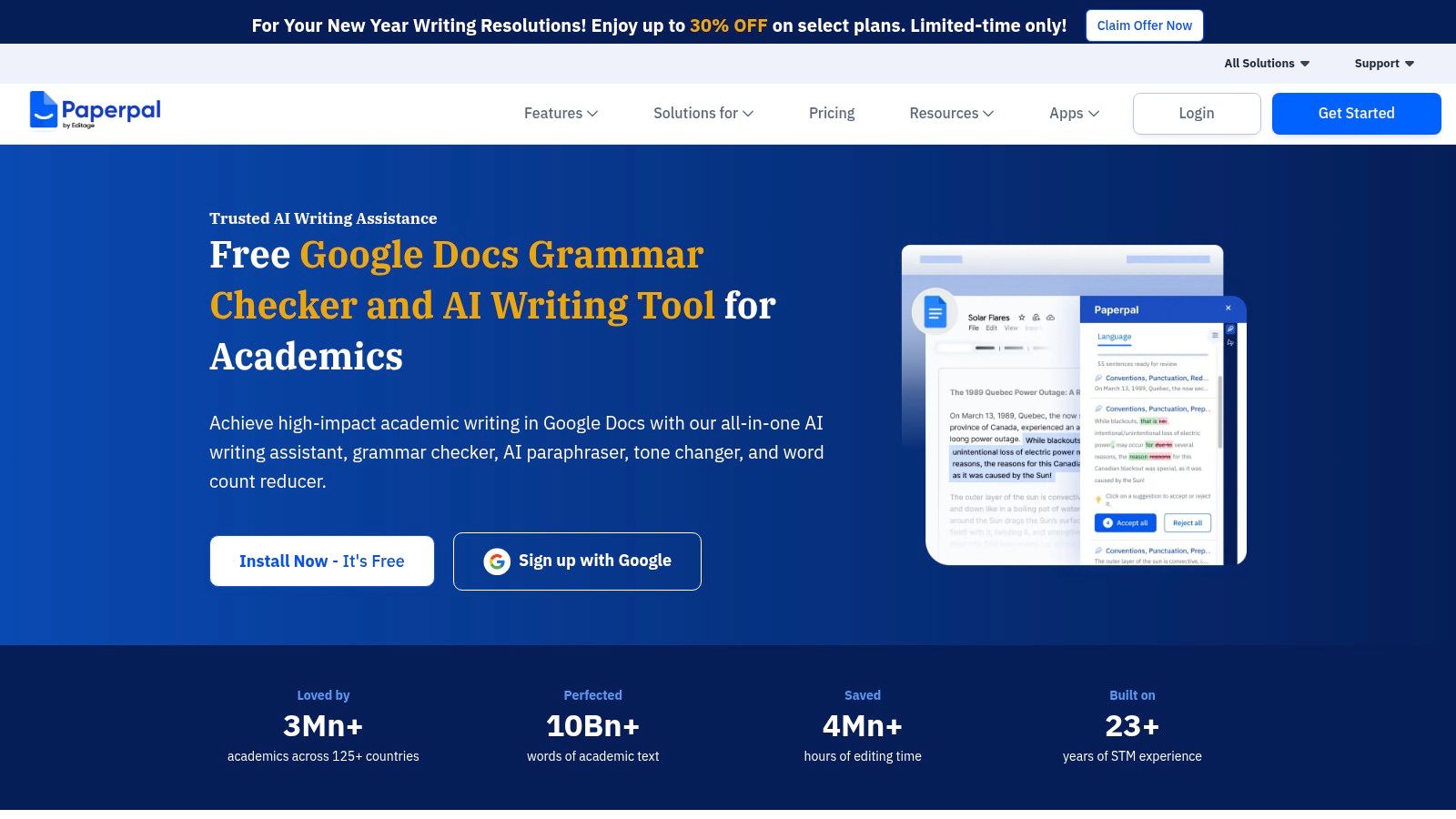
This platform stands out by running entirely within the Google Docs environment, which is a major advantage for students and researchers who already use it as their primary word processor. For academics seeking the best grammar checker software that understands their specific needs, Paperpal provides precise feedback on word choice, conciseness, and tone. Its privacy-forward approach ensures that users’ sensitive research and data remain secure within their own documents.
Key Features & Use Cases
- Academic-Specific Suggestions: The tool is trained on millions of published research articles, making it highly effective at suggesting technical terminology and appropriate phrasing for scientific papers.
- Integrated Rewriting Tools: It includes features for paraphrasing, reducing word count, and adjusting tone directly within the document, which is perfect for refining drafts to meet submission guidelines.
- Seamless Google Docs Workflow: As a Google Docs add-on, it eliminates the need to copy and paste text into an external editor, allowing users to review and accept suggestions without leaving their workspace.
| Feature | Free Plan | Premium Plan |
|---|---|---|
| Core Academic Corrections | Yes (with daily limits) | Yes (unlimited) |
| Paraphrasing & Rewriting | Limited (5 uses per day) | Unlimited |
| Plagiarism Checker | No | Yes (monthly checks) |
| Language & Tone Checks | Basic | Advanced |
Best For: Students, researchers, and academics who primarily work in Google Docs and need a specialized tool that understands the nuances of scholarly and technical writing.
- Pros: Excellent integration with Google Docs, highly relevant suggestions for academic writing, and a privacy-conscious design.
- Cons: Its utility is limited to the Google Docs ecosystem; advanced features require a paid subscription.
Website: https://paperpal.com/paperpal-for-google-docs
Top 12 Grammar Checkers Comparison
| Tool | Key features ✨ | UX & accuracy ★ | Price & value 💰 | Target audience 👥 | Standout USP 🏆 |
|---|---|---|---|---|---|
| Grammarly | Real-time grammar, rewrites, tone & brand controls ✨ | ★★★★☆ High accuracy, intuitive | Free tier; Premium for best features 💰 | Students, marketers, teams 👥 | Robust enterprise & style controls 🏆 |
| ProWritingAid | 25+ in-depth reports, manuscript tools ✨ | ★★★★☆ Deep diagnostic feedback | Annual/lifetime options = strong value 💰 | Authors & long-form writers 👥 | Comprehensive analytics for manuscripts 🏆 |
| QuillBot | Paraphraser modes, summarizer, detector ✨ | ★★★☆☆ Good utility; variable accuracy | Free basic; Premium unlocks best tools 💰 | Marketers, students, quick rewrites 👥 | All-in-one paraphrase + summarise suite 🏆 |
| LanguageTool | Multilingual grammar checks, high character limits ✨ | ★★★★☆ Strong across 30+ languages | Generous paid limits; mid-priced 💰 | Multilingual teams & non‑English writers 👥 | Wide language support & large quotas 🏆 |
| Microsoft Editor | Grammar, clarity, conciseness inside 365 ✨ | ★★★☆☆ Solid within Office apps | Bundled with Microsoft 365 subscription 💰 | Microsoft 365 users, professionals 👥 | Seamless Office integration 🏆 |
| Hemingway Editor | Readability grading, passive voice & adverb highlights ✨ | ★★★☆☆ Excellent for simplifying prose | Free basic; Plus for AI rewrites 💰 | Writers improving clarity & style 👥 | Lightweight readability-focused tool 🏆 |
| Ginger Software | Grammar, sentence rephraser, translation ✨ | ★★★☆☆ Practical corrections, translation | Varied pricing; business plans available 💰 | Multilingual individuals & small teams 👥 | Rephrasing + translation bundled 🏆 |
| Sapling | Autocomplete, snippets, developer API ✨ | ★★★★☆ Fast suggestions for conversations | Usage-based / pro plans; can be pricier 💰 | Support/sales teams & devs 👥 | Autocomplete + API for CX automation 🏆 |
| Outwrite | Grammar, paraphrase & plagiarism tools ✨ | ★★★☆☆ Clear UI, actionable suggestions | Affordable Pro; limited plagiarism quota 💰 | Freelancers & students 👥 | Simple, budget-friendly editor 🏆 |
| Trinka AI | Academic grammar, publication-readiness checks ✨ | ★★★★☆ Tuned for formal/technical writing | Specialized pricing; credits for some features 💰 | Researchers, academics & students 👥 | Publication-ready checks & confidentiality options 🏆 |
| WhiteSmoke | Basic grammar/spelling, org licensing ✨ | ★★★☆☆ Reliable but dated UI | Volume/education licensing; pricing opaque 💰 | Education & corporate buyers 👥 | Longstanding brand with licensing options 🏆 |
| Paperpal (Google Docs) | In-Docs academic suggestions, paraphrase ✨ | ★★★★☆ Smooth Google Docs experience | Free add-on; advanced tiers paid 💰 | Students & researchers in Google Docs 👥 | Native Google Docs academic integration 🏆 |
Elevating Your Writing with the Perfect Digital Assistant
Navigating the crowded market for the best grammar checker software can feel overwhelming, but as we've explored, the journey is less about finding a single "best" tool and more about discovering the right digital partner for your unique writing process. The ideal solution isn't a one-size-fits-all application; it's a seamless extension of your workflow, one that understands your goals and elevates your message without getting in the way.
We've seen how comprehensive suites like Grammarly and ProWritingAid offer robust, all-in-one editing experiences perfect for professionals who need deep stylistic analysis and consistency checks. At the same time, specialized tools like QuillBot excel at paraphrasing and restructuring sentences, making it invaluable for students and content creators looking to avoid monotony and rephrase complex ideas. The key takeaway is that your specific context dictates the optimal choice.
Making the Right Choice for Your Workflow
The most critical step now is to move from analysis to action. Your decision should be guided by a clear understanding of your primary writing tasks, your budget, and the platforms you use most frequently.
Consider these guiding questions to narrow down your options:
- What is your primary goal? Are you focused on academic integrity and clarity like a student using Paperpal? Are you a marketer aiming for persuasive, error-free copy, where a tool like Ginger might shine? Or are you a blogger trying to improve readability, making Hemingway Editor an excellent, focused choice?
- Where do you write? If you live in Google Docs, a dedicated extension like Trinka AI or a seamless integration from Grammarly is non-negotiable. If you work across multiple apps, a desktop application or a versatile browser extension from a provider like LanguageTool might be more practical.
- What is your budget? Many of the powerful free versions, such as those from Microsoft Editor or the basic LanguageTool, offer more than enough support for casual writing. However, for professionals, the investment in a premium plan often pays for itself through advanced features like plagiarism detection, enhanced style guides, and deeper analytical reports.
Implementation and Final Thoughts
Once you've shortlisted two or three candidates, the final test is hands-on experience. Don't underestimate the importance of user interface and workflow integration. A tool with powerful features is useless if it feels clunky or interrupts your creative flow. Take advantage of the free trials and freemium versions offered by nearly every platform on our list.
Spend a week with each of your top choices. Write an article, draft an email campaign, or edit a report. See which one provides the most insightful suggestions and feels the most intuitive. Does it help you learn and become a better writer, or does it just correct mistakes? The best grammar checker software should feel like a supportive collaborator, not just a robotic proofreader.
Ultimately, investing in the right grammar and writing assistant is an investment in your own voice. It sharpens your communication, boosts your credibility, and gives you the confidence to share your ideas with the world. Beyond just grammar, if you're looking to enhance your entire creative process, consider exploring other relevant digital assistants and the full range of the absolute best tools for content creators. By choosing wisely, you empower yourself to write with greater clarity, precision, and impact.
Ready to move beyond basic corrections and ensure your AI-generated text feels genuinely human? Natural Write specializes in transforming robotic AI drafts into authentic, engaging content while prioritizing your data privacy. Try Natural Write to experience the next evolution of digital writing assistance.